Automate your Salesforce data exports with Python (force-backup-automator)
A Python tool to automate downloading Salesforce weekly data exports, so your backups run without a human babysitting the UI.

The Data Export Automation problem
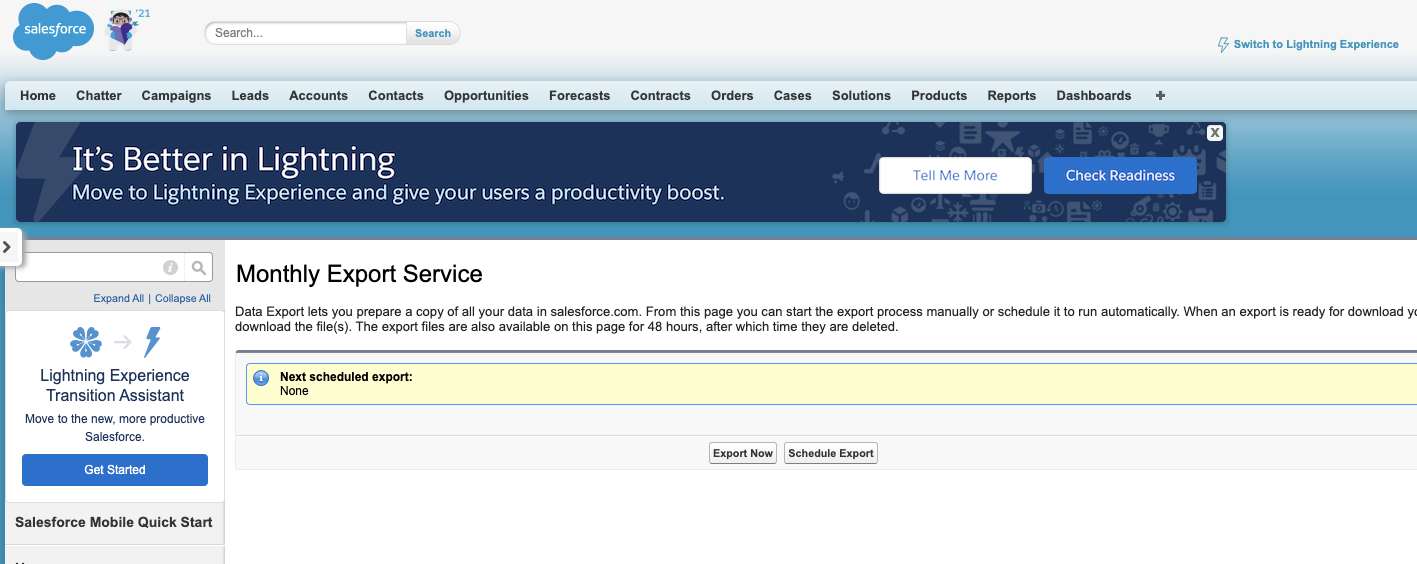
Salesforce provides a simple interface to schedule mass data exports of objects into CSV format in a weekly/monthly basis. These exports are great, but lack the API interfaces of the rest platform that would allow super admins to automate the download of the resulting files.
This page is not available via REST API 😮
The force-backup-automator
Python is a flexible, easy to learn scripting language. It comes with a vast ecosystem of packages, forums and documentation articles to automate most of your daily tasks.
To solve the backup download problem and save you countless man hours I created a Python package to automate this process, the force-backup-automator
The components
The package uses 3 main components:
- A built-in login module: Using methods built into the package you can provide a username and password to log-in as you would regularly do in the interface. This provides great flexibility as the user running the package does not need API access. Additionally, if you prefer to handle the login process yourself, this package accepts an optional cookie parameter with the sid and oid cookies. These cookies can be used by the download mechanism to access the Data Export Page already authenticated.
- A Selenium powered download mechanism: In order to support Lightning and Classic Experience, the package uses Selenium to render a headless version of your Chrome browser. This allows the package to navigate to the Salesforce Data Export Service page as regular browser would to identify all the download links for the files that need to be retrieved.
- A stream-based download: Some of the files to be downloaded can be pretty large. To avoid memory leaks, the package will use the popular requests package in stream mode to write to the file system in chunks. Additionally, the package receives as an input the location to download the files of course!
The combination of these three fundamental components, provide a robust package that will get your started with three lines of code:
Import the package:
from force_backup_automator import BackupController
Create an instance of the Controller
backup_instance = BackupController(
driver_location='./chromedriver',
org_link='ORG MAIN URL',
is_headless=0)
Download your files
backup_instance.download_backups(
download_location='TARGET_LOCATION',
backup_url='ORG_URL/lightning/setup/DataManagementExport/home',
user_name='USERNAME',password='PASSWORD')
It’s that easy!
To get started on your own, download this package from PiPy or the Github Repo here:
pip install force-backup-automator
Take your automation to the next level
As a companion of this package you may need to use operating system scheduling and scripting tools. These tools will allow you to run the package in a regular basis. For example, a common set up in Windows would be to use the Task Scheduler to run the package every week as diagrammed below:
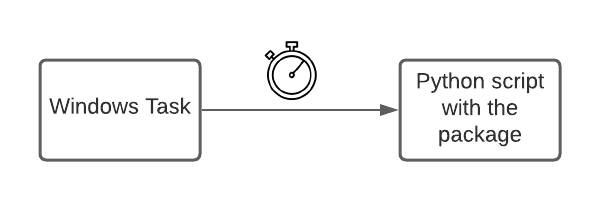
Cron tab and other tools can be used in Linux based operating systems.
I hope this package helps the great Salesforce community save some time. Leave a comment for any questions!